
Data Engineering
Snowflake vs Databricks: Where the Use Cases Overlap and Where They Split
By David Gadyan · Published · 13 min read
Snowflake and Databricks solve the same problem from opposite ends: one grew out of a SQL warehouse that hides files from you, the other out of Apache Spark and tables that live as files in your own buckets. This post lines up what they share, where each one leads, how their AI layers differ, and what to pick for a given workload.
In the past weeks I finished Coursera's Intro to Snowflake for Devs, Data Scientists and Data Engineers, turned it into an interactive mind map, built a Snowflake-style AI data platform and mapped out how to practise the Databricks side on a laptop. The question that came up in every conversation was the same: which one should we use?
The honest answer is that the two platforms overlap more than their marketing suggests, and that the differences that remain are about where you start, not about what is possible. This post lines them up by use case. Snowflake facts come from the course; Databricks facts come from the Databricks documentation. Both platforms change monthly, so treat the tables as a map, not a contract.
Two platforms, two starting points
Snowflake began as a cloud data warehouse. The course calls separating storage from compute "something Snowflake pioneered" and describes four layers: optimized storage, elastic multi-cluster compute, cloud services and Snowgrid. You create warehouses, databases and tables in SQL; files, micro-partitions, encryption and metadata are handled for you.
Databricks began with Apache Spark, the open-source distributed engine its founders created. The platform combines Spark compute with Delta Lake, a table format that adds ACID transactions, time travel and MERGE to Parquet files, and Unity Catalog for permissions, metadata and lineage. The files stay in your own object storage; Databricks supplies the workspace, the compute and the catalog.
Side by side
| Snowflake | Databricks | |
|---|---|---|
| Origin | Cloud data warehouse, SQL-first | Apache Spark, code-first lakehouse |
| Where the data lives | Snowflake-managed storage on cloud blob storage; Iceberg for external tables | Your own object storage (S3, ADLS, GCS) as Delta tables |
| Table format | Micro-partitions managed by the platform | Delta Lake: Parquet plus a transaction log |
| Compute unit | Virtual warehouse, XS to 6XL, auto-suspend and resume | Spark clusters and SQL warehouses, managed by Databricks |
| Main languages | SQL first; Python, Java and Scala via Snowpark | Python, SQL and Scala on Spark |
| Governance | Role-based access control, masking and row-access policies | Unity Catalog: permissions, metadata, lineage |
| Scheduled transformation | Dynamic tables, streams and tasks | Lakeflow pipelines and jobs |
| Machine learning | Cortex ML functions, Snowpark ML, Model Registry, Feature Store | MLflow, notebooks, Mosaic AI and model serving |
| Generative AI | Cortex LLM functions, Cortex Search, Cortex Analyst, fine-tuning | Mosaic AI, model serving |
| Apps | Streamlit in Snowflake, Native App Framework, Marketplace | Notebooks and dashboards in the workspace |
| Sharing | Zero-copy shares, Marketplace, Data Clean Rooms | Not covered in this round of notes |
| Free practice | Trial account, CLI, VS Code extension | Spark plus Delta Lake locally, Free Edition |
What they share
Strip the branding and the two platforms agree on the architecture that won the last decade:
- Storage and compute are separate and billed separately. Snowflake sizes warehouses independently of tables; Databricks attaches clusters to tables that live in your buckets.
- SQL and Python are both first-class. Snowflake has SQL worksheets, Snowpark DataFrames and Notebooks; Databricks has Spark SQL, PySpark and notebooks.
- Tables are transactional and have a history. Snowflake's Time Travel queries a table AT a timestamp or BEFORE a query id, with a default retention of 1 day and up to 90 days on Enterprise; Delta Lake gives ACID writes, time travel and MERGE INTO over files.
- Data is layered. The course builds raw, harmonized and analytics schemas; the lakehouse builds bronze, silver and gold. Same idea, different names.
- One catalog governs everything, including the AI features: Snowflake's roles also decide who can call Cortex functions or open a Streamlit app; Unity Catalog does the same job for Databricks assets.
- LLM features live inside the platform rather than in a separate service, so the data does not have to leave to be used by a model.
- Both run on AWS, Azure and Google Cloud.
Where the use cases split
| Use case | Leans to | Why |
|---|---|---|
| BI dashboards with many concurrent users | Snowflake | Multi-cluster warehouses add clusters when many users query at once, and the result cache serves repeated queries; the course's Streamlit demo reads a view of more than 690 million rows in under 100 lines of code |
| Large custom transformations in code | Databricks | Spark DataFrames and notebooks are the native way to work; the platform grew out of exactly this |
| Scheduled transformations without an orchestrator | Snowflake | Dynamic tables refresh on a TARGET_LAG you choose, which the course calls "almost always the right choice" for scheduled transformations with joins |
| Pipelines that already run on Airflow, Prefect or dbt | Either | Both accept an external scheduler; the course names all three as alternatives to streams and tasks |
| Streaming ingestion | Either | Snowpipe loads files in under a minute and Snowpipe Streaming plus the Kafka connector load rows in seconds; Databricks runs streaming pipelines in Spark code |
| Classical ML with scikit-learn or XGBoost habits | Either | Snowpark ML keeps the scikit-learn, XGBoost and LightGBM APIs and trains inside Snowflake; Databricks pairs notebooks with MLflow tracking |
| Exploratory data science: look, try, plot, compare runs | Databricks | Snowflake's SQL ML functions are four fixed-model statements and every experiment is a billed query; a notebook on a Spark cluster with MLflow is built for the loop |
| Custom models, GPUs, your own containers | Either | Snowpark Container Services hosts your own model or a partner LLM on Snowflake-managed GPUs; Databricks is a Spark cluster you configure, with Mosaic AI for serving |
| LLM calls over governed rows from SQL | Snowflake | AI_SENTIMENT, AI_TRANSLATE, AI_CLASSIFY, AI_EXTRACT and AI_COMPLETE run row by row inside a SELECT under the same RBAC as the table |
| Chat over your own documents (RAG) | Snowflake, or code on Databricks | Cortex Search is a managed retrieval service over a text column, paired with COMPLETE for the answer; on Databricks you assemble the pieces in code |
| Self-serve questions in natural language | Snowflake | Cortex Analyst answers questions over a semantic model through a REST API; Snowflake Copilot drafts SQL in Snowsight |
| Sharing data with partners without copies | Snowflake | Shares are zero-copy and read-only, the Marketplace distributes them, and Clean Rooms let two parties analyse combined data without seeing each other's rows |
| Keeping tables as files you control | Databricks | A Delta table is Parquet files plus a log in your own bucket; any Spark engine can read it |
| Data apps shipped to business users | Snowflake | Streamlit in Snowflake deploys with one click under existing roles; the Native App Framework sells apps on the Marketplace |
| Learning for free on a laptop | Databricks | Spark and Delta Lake install with pip; Snowflake needs an account, although the trial covers most of the course |
The AI layer: Cortex versus Mosaic AI
Both vendors put models next to the data, but the shape of the offer is different.
| Snowflake Cortex | Databricks Mosaic AI | |
|---|---|---|
| How you call a model | SQL functions inside SELECT, or the snow cortex CLI | Code in notebooks, model serving endpoints |
| Ready-made tasks | AI_SENTIMENT, AI_TRANSLATE, AI_EXTRACT, AI_CLASSIFY, AI_PARSE_DOCUMENT, AI_COMPLETE | Build with your own or hosted models |
| Retrieval for RAG | Cortex Search service over a text column | Assembled in code |
| Natural language to answers | Cortex Analyst over a semantic model; Copilot in Snowsight | Not in my notes |
| Custom models | Cortex Fine-Tuning; Snowpark Container Services with GPUs | MLflow, model serving, Spark clusters |
| Classical ML in SQL | FORECAST, ANOMALY_DETECTION, TOP_INSIGHTS, CLASSIFICATION | MLflow and notebooks |
| Governance | Same roles as the tables; data never leaves | Unity Catalog |
The course puts Cortex on a spectrum from seconds (AI/ML Studio, no code) through minutes (a SQL function) to hours (a container with your own model). Databricks starts at the hours end and works back: you have the whole Spark cluster and MLflow, and you build upward. Which is better depends on who is asking: an analyst who writes SQL gets further on Snowflake; a team that already ships models from notebooks gets further on Databricks.
Where Snowflake stops being an ML and AI exploration tool
One slide from the course sums up my main reservation, and it is the reason I would not put a data-science team's exploration work on Snowflake:
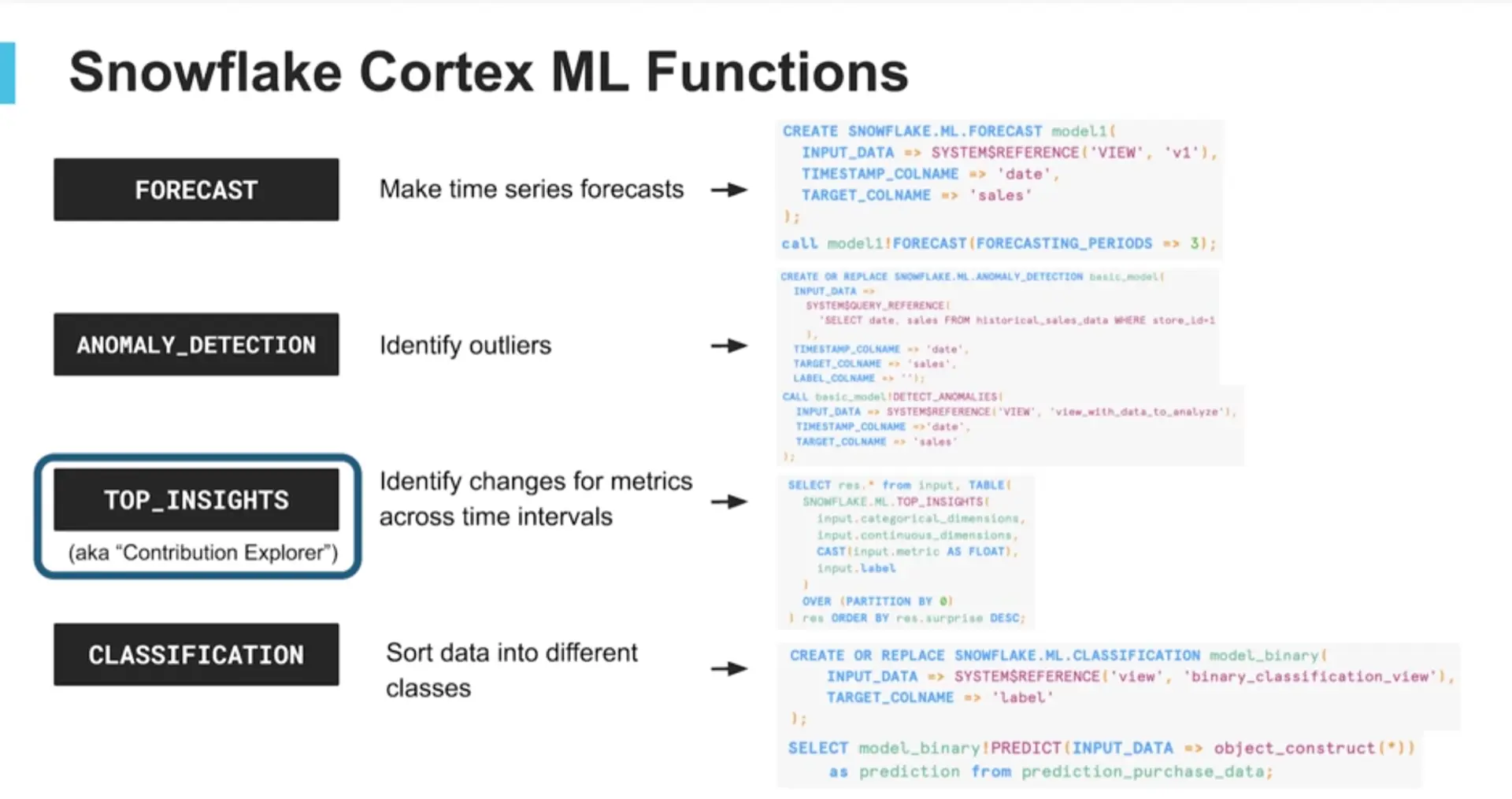
What the slide shows. The entire machine-learning toolbox on the SQL side is four functions. Each one is created the same way: a view reference as INPUT_DATA, a TIMESTAMP_COLNAME, a TARGET_COLNAME, and then a call such as model1!FORECAST(FORECASTING_PERIODS => 3) or model_binary!PREDICT(INPUT_DATA => object_construct(*)). That is the whole training loop. The course adds that FORECAST, ANOMALY_DETECTION and CLASSIFICATION all run a gradient-boosting machine underneath, and that is the only model you get.
Why that is a problem for exploration. Data science is a loop: look at the data, try a transformation, train, plot, compare, go back. From this interface you cannot choose the algorithm, tune it beyond the named parameters, engineer features anywhere except in the SQL of the input view, inspect a learning curve, compare two runs side by side or keep an experiment history. The statement returns an answer, which is exactly right when the question is settled and no help while it is not. Even the course's showcase for real modelling, the Snowpark ML XGBoost demo, reports 730 out of 730 test predictions correct on 7,300 synthetic rows: a demonstration of the API, not a modelling workflow.
The generative side has the same shape. AI_SENTIMENT or AI_COMPLETE return one answer per row with the model as a parameter. The course's row-by-row demo limits itself to 5 rows while the prompt is tuned, because every call is a billed query on a running warehouse and a larger model costs more per token, and Cortex Search would not even run on the trial account because embeddings need a paid one. That is acceptable for scoring governed data in production. It is a poor place to explore: no cheap local iteration, no experiment tracker, and every attempt shows up on the bill.
What Snowflake offers instead, and why it does not change the verdict. Snowpark ML brings scikit-learn, XGBoost and LightGBM-style APIs, a Model Registry and a Feature Store into Snowflake's compute, and the course is right that it beats the stored procedures and UDFs that came before. But it ports the scikit-learn habits into Snowflake's notebooks and warehouses; it does not turn the platform into an exploration environment. Databricks starts from the other end: a notebook on a Spark cluster, MLflow recording every run, the SQL added later. If a team's day is exploration rather than scoring, that difference decides the choice on its own.
A simple decision graph
Learning both without a cloud bill
| Runs locally | Cost | Good for | |
|---|---|---|---|
| Apache Spark plus PySpark | Yes | Free | Spark development, DataFrames, Spark SQL |
| Spark plus Delta Lake | Yes | Free | Lakehouse tables, time travel, MERGE, medallion layers |
| Databricks Free Edition | No, cloud-managed | Free, with serverless quotas and feature limits | The real workspace, Unity Catalog, Lakeflow |
| Databricks Connect | Partly: local IDE, remote cluster | Compute may be billed | Developing locally against a real cluster |
| Snowflake trial account | No, cloud-managed | Free for the trial period | Snowsight, warehouses, Time Travel, cloning, most of Cortex |
| Snowflake CLI and VS Code extension | Yes, against any account | Free tools | Scripts, CI, editing SQL and Python in your editor |
| Snowpark locally | Yes, against any account | Free library | DataFrames that run inside Snowflake compute |
For the Databricks side, a working local lakehouse is one command away:
python3 -m venv spark-env && source spark-env/bin/activate
pip install pyspark delta-spark jupyterlab
jupyter lab
With that you can practise PySpark transformations, Spark SQL and window functions, Delta tables with time travel, bronze, silver and gold layers, incremental loads with MERGE INTO, and batch or streaming pipelines. What you do not get locally is the platform itself: Photon, Unity Catalog's managed governance and the Databricks-specific services. Databricks Free Edition covers those, within its quotas.
For the Snowflake side, the trial account covers almost the whole course; the one thing that failed on a trial in the course was Cortex Search, because embeddings need a paid account. Locally you install the CLI and the Snowpark library:
pip install snowflake-cli snowflake-snowpark-python
snow connection add && snow connection test
snow sql -q "SELECT CURRENT_VERSION()"
When I needed a Snowflake-shaped environment that starts in seconds with no credentials at all, I built one on DuckDB laid out like a Snowflake account, with bronze, silver and gold schemas, an account_usage schema, masking and row-access policies enforced in SQL, and the same design delivered as real Snowflake DDL for live mode. That project is the Snowflake AI Data Copilot.
What I would choose
If the people asking the questions write SQL and the answers go into dashboards, reports and shared datasets, I start with Snowflake: warehouses that size themselves to the job, dynamic tables instead of a scheduler, and Cortex for sentiment, translation, classification and natural-language questions without exporting a row.
If the people doing the work write Python against large files, train their own models and want the tables to stay in their own buckets as open files, I start with Databricks: Spark is the native language, Delta Lake is the native format, and MLflow and Mosaic AI are the native model tooling. And if the work is exploration rather than scoring, Databricks wins before any other criterion is weighed.
If a company already has both, the useful conversation is not which one but which workload goes where, and the one rule that keeps the two from fighting is open table formats: Iceberg on the Snowflake side, Delta and Parquet on the Databricks side, so that neither platform becomes the only thing that can read the data.
Sources
- Coursera, Intro to Snowflake for Devs, Data Scientists, Data Engineers, by Snowflake (instructor Peter Olson), transcript reviewed on 5 November 2026. Every Snowflake definition, command and figure above is the course's; the whole course is mapped in the Snowflake mind map. Some features were in preview when it was filmed, so check docs.snowflake.com for current availability and pricing.
- Databricks documentation and product pages at docs.databricks.com for Apache Spark, Delta Lake, Unity Catalog, Lakeflow, MLflow, Mosaic AI, Databricks Connect and Free Edition, as summarised in my study notes of November 2026. Quotas and feature limits of the Free Edition change; check the current terms.
Questions this answers
Is Databricks a framework, an engine or a platform?
A platform. Apache Spark is the engine that executes the work, Delta Lake is the table format that adds transactions to files, and Databricks is the managed workspace that combines them with Unity Catalog, SQL warehouses, Lakeflow, MLflow and Mosaic AI on top of AWS, Azure or Google Cloud.
Does Databricks store my data in its own database?
No. A Delta table is a folder of Parquet files plus a _delta_log directory in your own object storage, such as S3, Azure Data Lake Storage or Google Cloud Storage. Databricks provides the compute, the catalog and the workspace; the files stay in your cloud account.
Where does Snowflake keep the data?
In its optimized storage layer, built on cloud blob storage and managed by Snowflake: micro-partitioning, compression and encryption are handled for you, and open table formats such as Apache Iceberg are supported for data you keep outside. You never manage the files directly.
Which one is better for generative AI?
They take different routes. Snowflake Cortex exposes LLM functions such as AI_SENTIMENT, AI_TRANSLATE, AI_CLASSIFY and AI_COMPLETE inside SQL, plus Cortex Search for retrieval and Cortex Analyst for natural-language questions over a semantic model, all under the same role-based access control as the tables. Databricks offers Mosaic AI and model serving on top of MLflow for teams that build and host their own models in code.
Is Snowflake a good platform for machine-learning exploration?
Not in my view. The SQL-side toolbox is four Cortex ML functions (FORECAST, ANOMALY_DETECTION, TOP_INSIGHTS, CLASSIFICATION) that train a fixed gradient-boosting model from a view and return an answer: no choice of algorithm, no feature engineering outside SQL, no experiment history, and every AI call is a billed query. Snowpark ML adds scikit-learn-style APIs inside Snowflake, which helps for training at scale, but a notebook on Databricks with MLflow is built for the exploration loop.
Can I practise either one without paying for cloud compute?
Yes. For the Databricks side, pip install pyspark and delta-spark and run Spark with Delta Lake locally, or use Databricks Free Edition, which has serverless compute quotas and feature limits. For Snowflake, use a trial account with Snowsight, the Snowflake CLI and the VS Code extension; some features, such as Cortex Search embeddings, need a paid account.
Can a company use both?
Yes, and many do: for example Databricks for Spark-heavy engineering and model training, Snowflake for governed SQL analytics, sharing and data apps. The practical condition is to keep the shared data in open table formats so that each side can read what the other writes.
Tags:snowflakedatabricksdata engineeringdata platformslakehousegenerative aimachine learning
Related projects
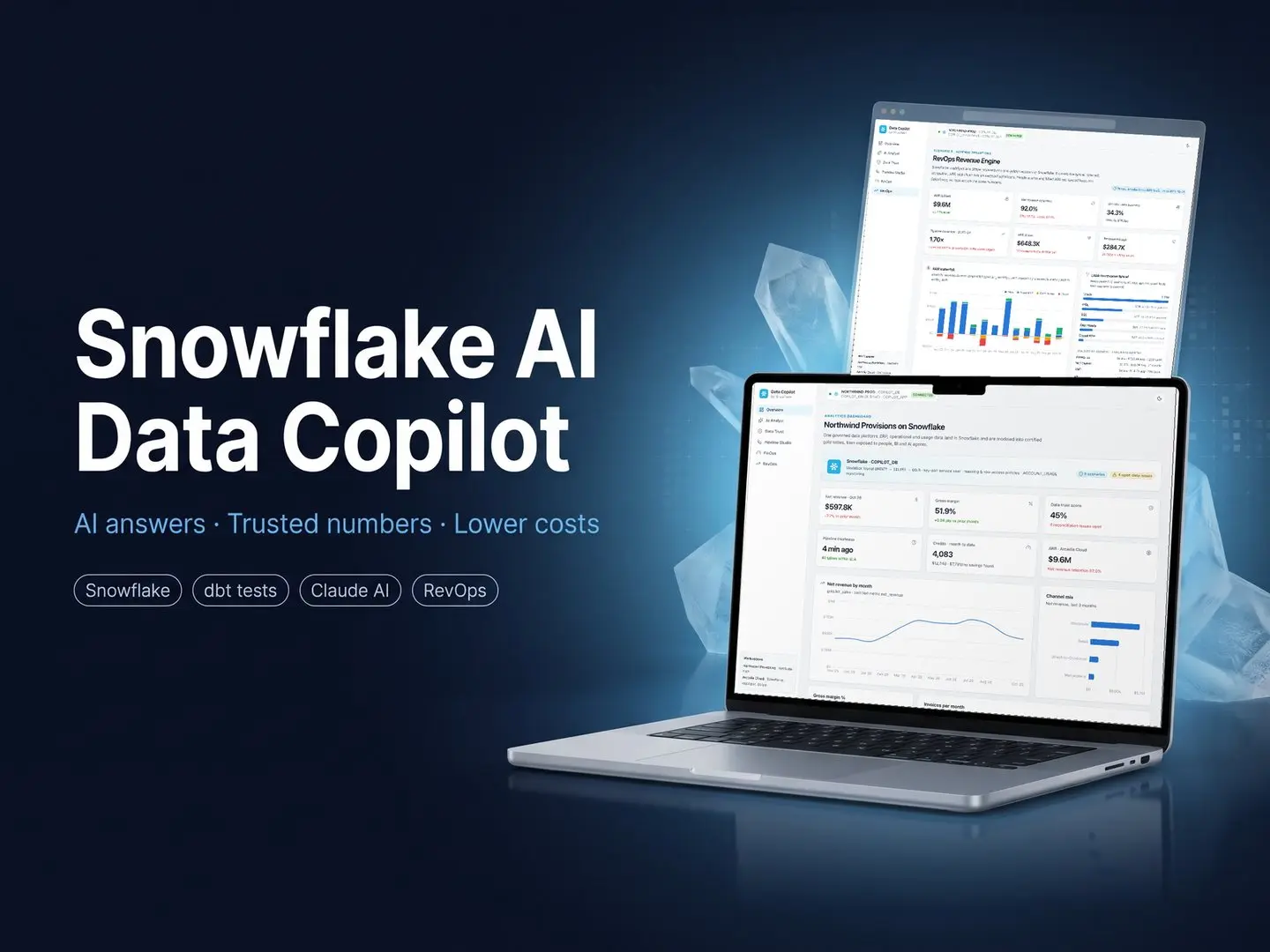
Snowflake AI Data Copilot: Trusted Numbers, AI Answers, Lower Costs
Databases & Data Engineering · AI & Agents · Cloud, DevOps & LLMOps

Virgil.ai: Agentic Health-Insurance Assistant
AI & Agents · AI ERP & SaaS · Cloud, DevOps & LLMOps · Security & Compliance
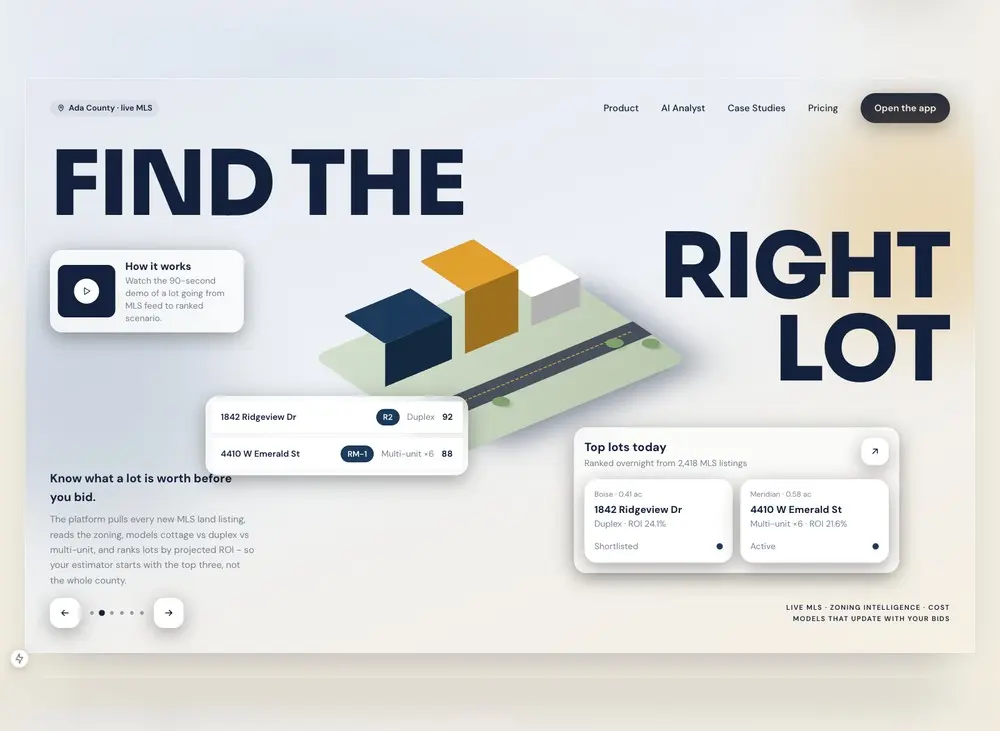
AI Real Estate Lot Analysis Platform for a Residential Builder
AI & Agents · Full-Stack & UI/UX · Data Science & ML